

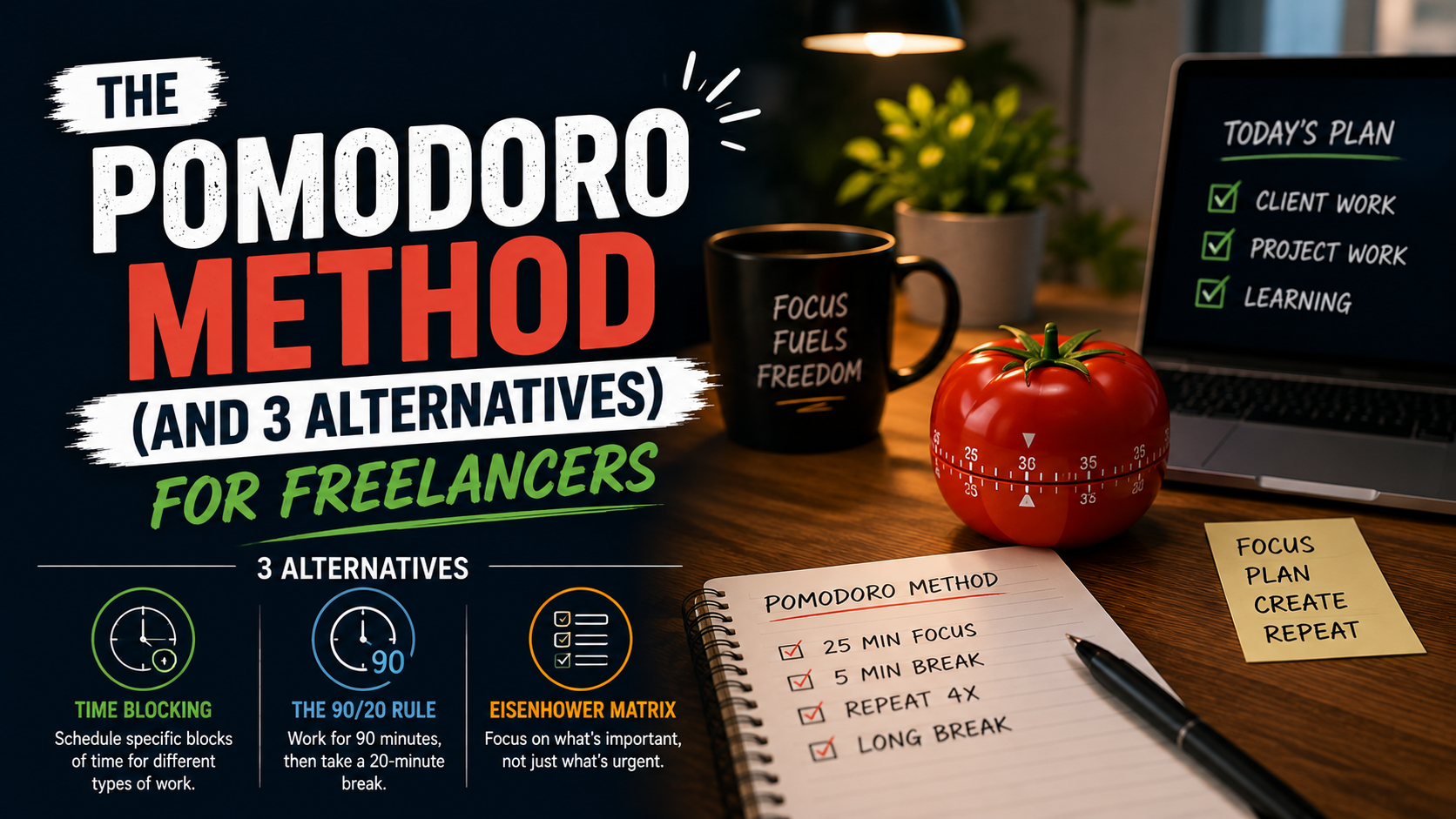
Freelancer schedules don’t come with a manager checking in every hour, which sounds great until you realize how easy it is to lose an entire afternoon to nothing in particular. No commute to separate “work mode” from “home mode,” no coworker walking by to snap you out of a scrolling spiral, just you, a laptop, and whatever willpower you woke up with. That’s exactly why so many freelancers eventually stumble onto the Pomodoro Technique, and why, for just as many, it stops working after a few weeks.
This isn’t another listicle pretending one method fixes everyone’s focus problems. It’s a practical look at how the Pomodoro Technique actually works, where it tends to fall apart for freelance work specifically, and three alternatives that solve different pieces of the same problem: staying focused without a boss standing over your shoulder.
It’s worth saying upfront that no productivity system replaces good client boundaries or a realistic workload. A freelancer who’s booked past capacity won’t fix that with a better timer. But for the everyday challenge of actually sitting down and doing the work in front of you, these four approaches cover most of what freelancers run into.
What the Pomodoro Technique Actually Is
The method was invented by Francesco Cirillo, an Italian university student in the late 1980s who was overwhelmed by long, unstructured study sessions. He grabbed a kitchen timer shaped like a tomato, promised himself ten uninterrupted minutes, and built the habit up from there. The name stuck, tomato and all, and the modern version settled into a simple rhythm.
- Pick one task and set a timer for 25 minutes.
- Work on that task only until the timer rings, no checking email or messages.
- Take a short 5-minute break.
- After four rounds, take a longer break of 15 to 30 minutes.
The appeal is obvious. A single 25-minute block feels manageable in a way that “work on this for the next four hours” never does. It short-circuits the part of the brain that panics at the size of a big project by turning it into a string of small, timed sprints.
Why the Pomodoro Technique Works So Well for a Freelancer
A freelancer juggling several clients at once deals with a specific kind of chaos: constant context-switching between projects that have nothing in common with each other. One block of time might be spent writing copy, the next debugging code, the next replying to a client who wants “just one small change.” The Pomodoro format forces a mental reset between tasks instead of letting them blur together, which cuts down on the sluggish feeling that comes from bouncing around all day.
It also builds in permission to rest. Freelancers who bill by the hour or juggle deadlines often feel guilty stepping away from the desk, and a structured break schedule removes the guesswork. The timer says it’s break time, so it’s break time, no negotiating with yourself about whether you’ve earned it yet.
People who’ve written about using it while freelancing on platforms like Fiverr have described noticeable improvements in delivery consistency and writing quality once they stopped treating work as one long undivided block and started measuring it in pomodoros instead.
There’s also a psychological piece worth mentioning. Freelancers don’t get the small social cues that structure an office day, a coworker heading to lunch, a meeting ending, the general hum of people wrapping up around 5pm. Pomodoro manufactures those cues artificially. The timer ringing becomes its own little checkpoint, giving shape to a day that would otherwise blur into one continuous, undefined stretch of “working from home.”
Where the Pomodoro Technique Falls Apart
For all its strengths, the rigid 25-minute structure doesn’t fit every kind of freelance work, and pretending otherwise is where a lot of people give up on it entirely.
It fights against deep, uninterrupted work
Some tasks, like debugging a stubborn piece of code, writing a long-form article, or working through a complex design concept, don’t respect a 25-minute boundary. Just as the ideas start connecting, the timer interrupts the flow. Several people who’ve tried the method for demanding creative or technical work end up ignoring the buzzer altogether once they’re genuinely locked in, which somewhat defeats the point of having a timer at all.
It struggles with client-driven interruptions
A freelancer doesn’t always control their own calendar the way the technique assumes. A client message demanding a quick turnaround, a call that runs long, or an urgent revision request doesn’t wait for the next break. When interruptions are frequent, resetting a 25-minute timer over and over starts to feel more like friction than structure.
It can encourage clock-watching over quality
Some freelancers report that once a timer is running, they start optimizing for finishing the pomodoro rather than doing the work well, rushing the last few minutes just to “complete” the cycle. That’s a subtle but real risk, especially for detail-heavy work like editing or client communication.
Alternative 1: The Flowtime Technique
The Flowtime Technique came up repeatedly in online productivity discussions as the go-to answer whenever someone asked what to try instead of Pomodoro, including a well-known Reddit thread where people compared notes on techniques beyond the standard 25-minute format. The idea is straightforward: work until your focus naturally starts to fade, then take a break, rather than forcing a break at a fixed 25-minute mark.
In practice, that means starting a task, logging the time you begin, and simply working until you notice your attention drifting. Only then do you log the end time and take a break, usually scaled to how long you just worked. A 90-minute deep-focus stretch might earn a longer break than a quick 20-minute one.
This suits freelance work that involves genuine flow states, writing, coding, and design especially well, because it doesn’t punish you for getting absorbed in a task. The tradeoff is that it requires more self-awareness. Without a timer forcing the issue, it’s easy to either burn out by skipping breaks entirely or drift into distraction without noticing.
Alternative 2: Time Blocking
Time blocking flips the Pomodoro logic on its head. Instead of working in short, repeated sprints, you divide your entire day into dedicated blocks, each assigned to a specific project, task, or client, and you protect those blocks the way you’d protect a real meeting. This pairs naturally with a solid workflow that already separates client intake, active work, and invoicing into distinct stages.
A typical freelance day using time blocking might look like two hours for a priority client project in the morning, a block for admin and invoicing after lunch, and a final block for emails and proposals before logging off. The structure gives every task a home, which reduces the constant “what should I be doing right now” decision fatigue that eats into a freelancer’s energy.
The strength of this method is visibility. Anyone glancing at your calendar, including you, can see exactly where the day’s hours are going, which is useful for freelancers who need to track billable time or explain to a client why a deadline needs to move. The weakness is the same as its strength: it takes real discipline to protect a block once a client emergency shows up wanting to eat into it.
Alternative 3: The 52/17 Rule (and Eat the Frog)
A widely cited piece of research from productivity tracking company Draugiem Group found that the most productive employees they tracked didn’t work in short 25-minute sprints at all. They worked in roughly 52-minute focused stretches followed by 17-minute breaks, a rhythm now commonly called the 52/17 rule.
The logic is similar to Pomodoro’s, alternating focus and rest, but the longer work window suits tasks that need more warm-up time before hitting a productive stride. A freelancer writing a detailed proposal or working through a client’s feedback document often needs more than 25 minutes just to get back into context, so a 52-minute block can feel far less disruptive.
It’s worth pairing this with a simple prioritization habit popularized by author Brian Tracy: Eat the Frog. The idea is to identify your single most important or most dreaded task each day and complete it first, before checking email or opening any other tab, an approach echoed in a Reddit discussion where freelancers and remote workers compared what actually replaces Pomodoro when it stops working. For freelancers, the “frog” is often the task tied to the client who’s hardest to please, or the invoice you’ve been avoiding sending.
Combining the two gives a freelancer a full daily structure: tackle the frog first thing, using 52-minute focus blocks with 17-minute breaks, and let the rest of the day’s smaller tasks fill in around that anchor.
Choosing the Right Method as a Freelancer
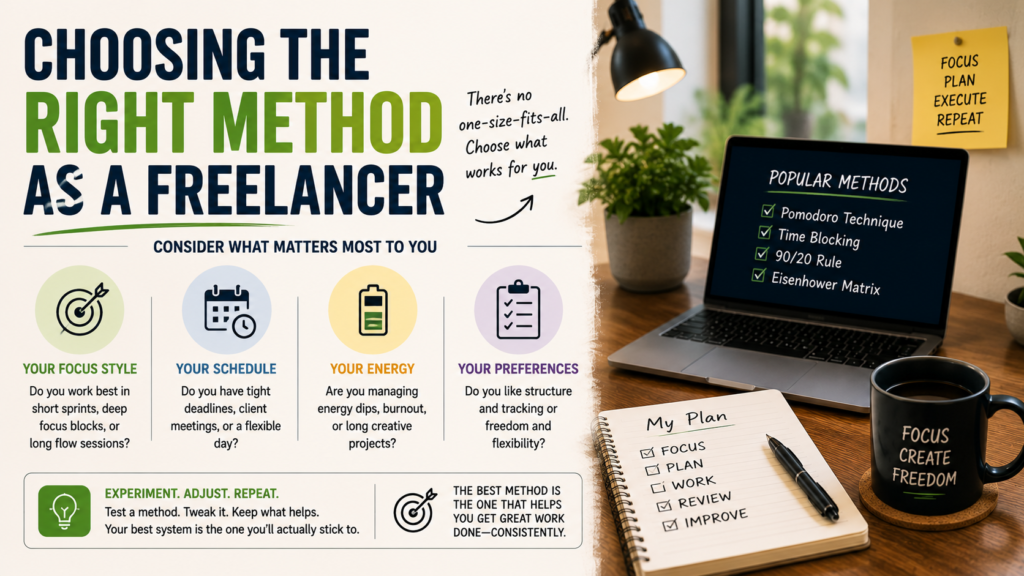
None of these techniques are competing for one universal winner, they solve different problems. A freelancer drowning in small, repetitive tasks across multiple clients will probably get more out of classic Pomodoro’s short, rigid sprints. Someone doing deep creative or technical work benefits more from Flowtime’s flexibility. A freelancer managing several ongoing projects at once often does best with time blocking, since it makes the whole week visible at a glance. And anyone who struggles specifically with starting the hardest task of the day will get the most mileage from Eat the Frog paired with longer 52/17 focus blocks.
- Struggling with small, scattered tasks across clients: try classic Pomodoro.
- Doing deep creative or technical work that hates interruptions: try Flowtime.
- Juggling multiple ongoing projects and need visibility: try time blocking.
- Procrastinating on the hardest task of the day: try Eat the Frog with 52/17 blocks.
It’s also completely normal to mix and match depending on the day. A freelancer might use Eat the Frog to decide what to tackle first, time block the rest of the week around client deadlines, and drop into Pomodoro sprints for the smaller, less demanding tasks in between. Productivity systems work best when they bend to the work, not the other way around.
Making Any Method Stick
Whichever technique you land on, a few habits make the difference between a system that lasts and one that quietly gets abandoned after a rough week.
- Track your time honestly for a week before picking a method, so you know what’s actually eating your hours.
- Silence notifications during focus blocks instead of trusting yourself to ignore them.
- Adjust the timing to match your energy, not the version you read about online.
- Give a new method at least a week before deciding it doesn’t work.
- Review at the end of each week and tweak instead of restarting from scratch.
A freelancer who treats their schedule as a living experiment, rather than a rulebook to follow perfectly, tends to stick with a system far longer than someone chasing the “correct” way to work. The goal was never the timer itself; it was getting meaningful work done without burning out along the way.
A freelancer who treats their schedule as a living experiment, rather than a rulebook to follow perfectly, tends to stick with a system far longer than someone chasing the “correct” way to work. The goal was never the timer itself; it was getting meaningful work done without burning out along the way.
Do You Need an App, or Just a Timer?
It’s tempting to spend an entire afternoon comparing productivity apps instead of actually starting work, which is its own kind of procrastination. The truth is that any of these four methods can be run with nothing more than a phone timer and a notebook. A dedicated app helps mainly with tracking patterns over time, seeing which days you actually finished your blocks versus which days everything fell apart.
If you do want something more structured, look for a tool that logs completed sessions automatically rather than one that just counts down. Being able to look back at a week and see “I completed twelve focused sessions on Client A and four on Client B” is far more useful for a freelancer’s own self-awareness than the timer itself. Simpler is usually better here; an overly complex tracking app becomes one more thing competing for your attention instead of protecting it.
Common Freelancer Questions About Focus Techniques
Is Pomodoro still worth trying if it didn’t work before?
Often the issue isn’t the method, it’s the length. A freelancer who found 25 minutes too short or too rigid might do much better with the longer 52/17 rhythm, or with Flowtime’s flexible approach, rather than writing off structured focus work entirely.
Can these techniques be combined with client calls and meetings?
Yes, and for most freelancers they have to be. Time blocking handles this best, since meetings can simply be scheduled into their own protected block rather than interrupting a focus session already in progress.
How long does it take to know if a method is working?
Give any new system at least a full week, ideally two. The first few days usually feel clumsy no matter which technique you choose, and a fair test means pushing past that initial awkwardness before judging the results.
Final Thoughts for Every Freelancer
The Pomodoro Technique earned its popularity for good reason: it’s simple, free, and genuinely helps with the specific loneliness and lack of structure that comes with freelance life. But it isn’t sacred, and treating it as the only option ignores just how differently people actually work. Flowtime, time blocking, and the 52/17 rule paired with Eat the Frog all solve real gaps that the original method leaves open.
The best approach for any freelancer is the one that actually gets used on a Tuesday afternoon when motivation is low and the inbox won’t stop refreshing. Test a few, keep what works, and don’t feel guilty about ditching the tomato timer if something else fits your work better.
