

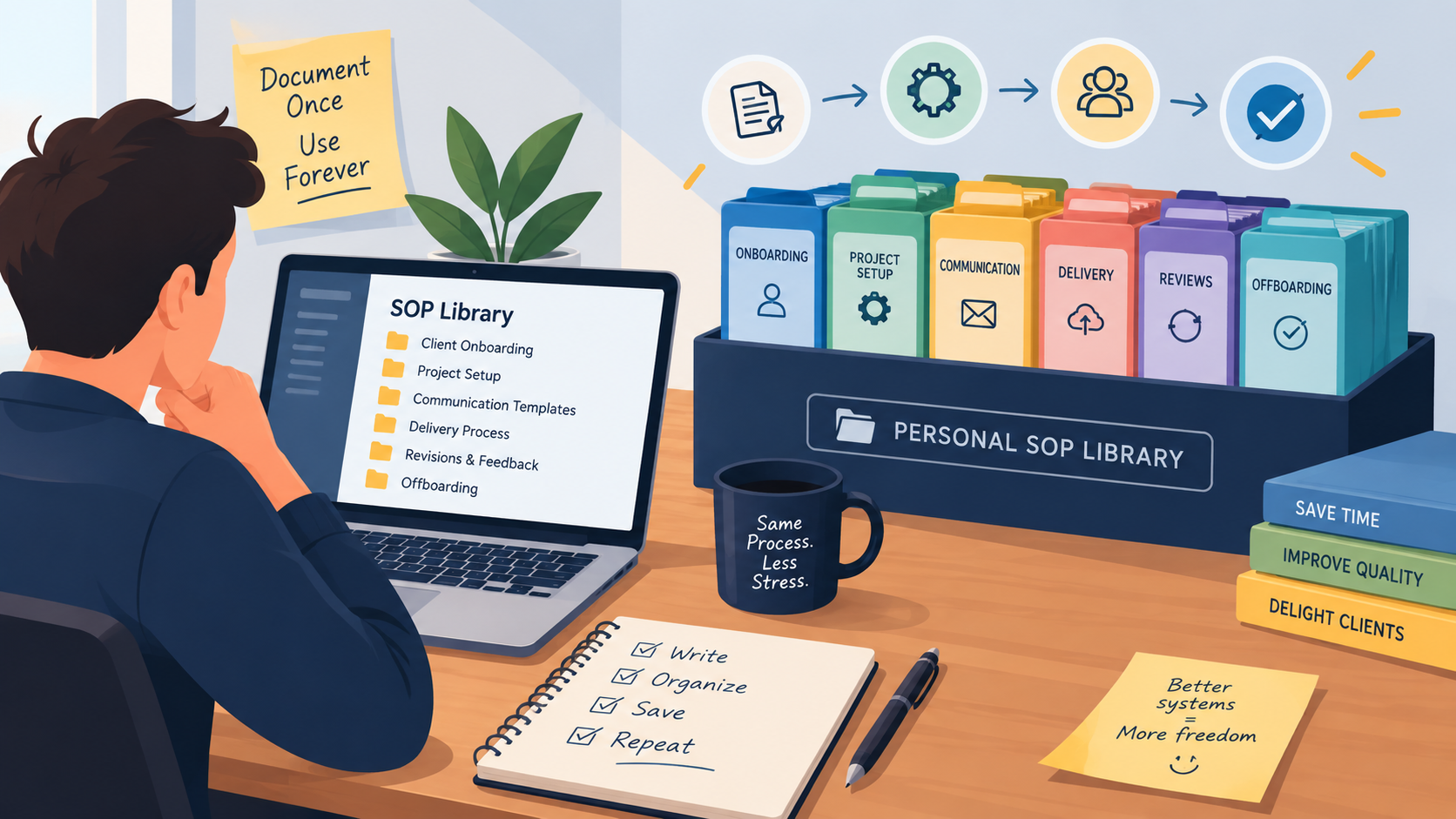
Freelancer work has a strange rhythm to it. You solve a problem for one client, move on, and a few weeks later a different client hands you almost the exact same problem again. Same onboarding questions, same kickoff checklist, same three emails you keep rewriting from memory. Most people just redo the work each time, because sitting down to document a process feels like a detour from billable hours.
A personal SOP library fixes that. SOP stands for standard operating procedure: a short, written set of steps for doing a repeatable task the same way every time. Instead of rebuilding your onboarding email or your project checklist from scratch for the fifth time this year, you open the folder, copy what already works, and adjust the details. It’s one of the few habits that quietly pays for itself, project after project.
Why a Freelancer Actually Needs an SOP Library
Employees usually inherit a company’s systems. A freelancer has to build their own, and most never get around to it because there’s no manager asking for documentation. The result is a business that runs entirely on memory, which works fine until a busy month arrives and small steps start getting skipped or forgotten.
An SOP library also matters more than it looks like it should for pricing. If a task takes less mental effort each time because the steps are already written down, you finish it faster, which means your effective hourly rate on repeat work quietly goes up without raising your prices at all. Freelancers who’ve written about building their own systems tend to agree that the return shows up within a couple of weeks of using the same procedure twice, not months later. One long-running freelance blog put it plainly: the sooner you invest in a stable structure and clearly defined processes, the sooner you free up time for the parts of the job that actually require your judgment.
There’s a delegation angle too. Anyone planning to bring on a virtual assistant or a subcontractor eventually needs to hand off a task without sitting beside them to explain it. A written procedure does that explaining once, permanently, instead of you repeating the same instructions to every new hire.
It also changes how a project feels when things go wrong. Clients cancel calls, files arrive late, scope shifts mid-project. When the routine parts of the job, onboarding, handoffs, invoicing, are already on autopilot through a written procedure, you have more mental bandwidth left over for the parts of the job that actually need judgment. That’s a quieter benefit than saving time, but for a lot of solo workers it matters just as much.
Think of it as building the operations side of a freelance business the same way you’d build a portfolio. A portfolio proves what you can deliver. An SOP library proves, at least to yourself, that you can deliver it again without reinventing the process every single time a new client says yes.
Start With the Tasks a Freelancer Repeats, Not the Ones They Enjoy
The instinct is to document everything at once. Resist it. Pick the handful of tasks that show up on nearly every project: client onboarding, kickoff calls, file handoffs, invoicing, and project closeout are the usual suspects. These are the tasks most likely to be forgotten mid-project or done slightly differently each time, which makes them the ones worth locking down first.
A useful filter is to ask whether a task is recurring, error-prone, or something you’d want to hand to someone else eventually. If a task hits two of those three, it earns a spot in the library. If it’s a one-off request from a single client, it probably isn’t worth the time to formalize.
Common starting points for most service-based freelancers include client onboarding, a project kickoff checklist, file naming and handoff, an invoicing and late-payment follow-up sequence, and a closeout process for wrapping up a finished project. Between those five, most of the recurring friction in a freelance business is already covered, and everything after that is a refinement rather than a gap.
Set a small, realistic pace rather than trying to write a dozen procedures in one weekend. Many people who’ve built their own systems suggest aiming for one new SOP a week. That keeps the habit sustainable and stops the whole project from turning into a chore you keep postponing.
It helps to write the procedure right after you finish the task, while every step is still fresh, rather than scheduling a separate session to reconstruct it from memory later. Keep a running note of tasks worth documenting as they come up during the week, then turn one into an SOP each Friday. That small ritual is easier to keep than a vague intention to document things eventually.
Write Procedures a Tired Freelancer Could Still Follow
An SOP only works if it’s usable at 5 p.m. on a Friday when you’re not thinking clearly. That means plain language, one action per step, and no steps that assume knowledge you haven’t written down. A good procedure includes a title and scope so it’s clear which task it covers, prerequisites like the accounts or files you’ll need, numbered steps in the order you actually do them, and a short quality check for what done looks like.
Screenshots or a short screen recording often explain a step faster than a paragraph can, especially for anything involving software. A two-minute recording of you actually doing the task once is sometimes worth more than an hour spent writing it out in prose, and it takes far less time to produce.
Free tools like Loom or a built-in screen recorder are usually enough for this. You don’t need production value, just clarity. Narrate what you’re clicking and why as you go, since the why behind a step is often what a future version of you, or a subcontractor months from now, actually needs to make a judgment call when the situation doesn’t match the procedure exactly.
Keep each procedure to one task. A single sprawling document titled Client Process that tries to cover onboarding, invoicing, and delivery all at once is much harder to scan than three short documents, each answering one specific question.
Version numbers are a small habit that pays off disproportionately. Adding v1, v2, and so on to a filename, along with a one-line change note at the top of the document, means a freelancer never has to guess whether the copy in front of them reflects how they actually work today or how they worked eight months ago before a client taught them a better way.
Organize the Library So You Can Find Things Fast
The point of a library is speed. If finding the right procedure takes longer than just redoing the task from memory, you’ll stop opening it within a month. A small set of broad categories works better than a deep folder structure. Something like Onboarding, Project Delivery, Communication, and Admin covers most freelance work without forcing anything more than one click to reach.
Naming matters as much as the folder it sits in. A file called Client Onboarding Checklist v3 tells you what it is and that it’s been updated before, all from the title. A file called Untitled document (4) tells you nothing, and after a year of freelancing, you’ll have a lot of files named exactly like that if you’re not deliberate about it.
Where the library lives matters less than keeping it in one place. A shared drive folder, a Notion page, or a simple document library on your own site all work, as long as there’s a single home and you’re not hunting across three tools to find the version you actually trust.
Resist the urge to nest folders four levels deep. If reaching a procedure takes more than two clicks from the library’s home page, the structure is too fine-grained, and you’ll end up guessing where something was filed instead of finding it on instinct. Broad categories that match how you actually think about your business will always beat a perfectly logical structure that only makes sense right after you built it.
Turn Your Existing Freelancer Workflow Into Templates
You’ve likely already built a rough workflow without calling it one, the sequence you fall into every time a new inquiry lands in your inbox. Turning that sequence into a template is often the fastest way to start an SOP library, because you’re documenting something you already do well instead of inventing a new process from a blank page.
The same applies to email. If you’ve written a variation of the same kickoff message a dozen times, save the best version as a template with bracketed placeholders for the client’s name and project details. Do this for your proposal follow-up, your invoice reminder, and your project closeout note, and a surprising share of your client communication stops requiring a fresh draft.
Discovery calls and kickoff meetings are worth templating too, even though they’re conversations rather than documents. A short agenda you reuse every time, covering goals, timeline, budget, and who’s involved, keeps the call focused and means you’re less likely to forget a question that only occurs to you afterward, once the client has already logged off.
Keep Procedures Current Without Turning Into a Full-Time Librarian
An outdated procedure is arguably worse than none, because you follow it without questioning it and only notice the gap once something goes wrong mid-project. The fix doesn’t require much overhead. Add a last-updated date to each SOP, and whenever a client project reveals a better way to do something, update the file the same day rather than making a mental note to fix it later.
When a procedure changes, replace the old version instead of saving a second copy next to it. Two versions of the same SOP sitting in the same folder is exactly how the which one is current problem creeps back in, and it defeats the entire point of having a library instead of a pile of files.
A short quarterly review works well for most solo businesses: block thirty minutes, skim through the library, and archive anything tied to a service you no longer offer or a tool you’ve switched away from.
Archiving is worth doing deliberately rather than deleting outright. An old procedure sometimes turns out useful again if a client asks for a service you’d stopped offering, and having it sitting in an archive folder saves you from rebuilding it from nothing a second time. Deleting feels tidy in the moment but tends to cost more later than it saves now.

Let the Right Tools Carry the Weight for a Solo Freelancer
You don’t need specialized software to start. A folder of documents in Google Drive or Notion is a perfectly real SOP library as long as it’s organized and current. Some freelancers eventually add lightweight browser tools for screen recording or password management alongside their document folder, but the tool matters far less than the habit of actually keeping the procedures updated.
According to one guide on building usable procedure libraries, the real test isn’t how many documents you have, it’s whether someone can find and trust the right one in under a minute. That same test applies just as well to a solo freelancer’s personal system as it does to a large team’s shared drive.
If you ever bring on help, a searchable, access-controlled setup starts to matter more, giving a subcontractor their own view of only the procedures relevant to them. Until then, a well-organized folder with clear names and a habit of updating it beats almost any paid tool sitting unused.
It’s worth resisting the temptation to buy library software before you’ve proven the habit sticks with a plain folder. A freelancer who abandons a paid tool after two months because the underlying habit never formed has lost more than one who just kept using a free folder consistently. Upgrade the tooling once the habit outgrows it, not before.
Deciding What Stays Private in a Freelancer’s Library
Not everything in your library needs to be shared, and some of it shouldn’t be. Internal pricing notes, a difficult-client playbook, or your actual profit margins on a retainer are useful to keep documented, but they’re not something a client or a subcontractor should ever stumble across. Splitting the library into a couple of simple tiers, personal-only and shareable-with-a-VA, avoids an awkward moment later.
If you do bring in help, share only the folder or category relevant to the tasks you’re handing off rather than the whole library at once. A freelancer working with a part-time assistant rarely needs to give that assistant visibility into contract templates or rate cards just to have them follow an onboarding checklist, and keeping the access narrow avoids confusion about which parts of the business are actually theirs to touch.
The Bottom Line for Every Freelancer
Building a personal SOP library isn’t glamorous work, and it won’t feel urgent until the week a client asks for something you’ve already solved twice before and can’t quite remember how. Start with the five or six tasks that repeat across nearly every project, write them in plain steps a tired version of yourself could follow, and keep everything in one place with clear names and current dates.
None of this needs to happen in a single weekend. A freelancer who documents one procedure a week has a working library within two months, built entirely from real client work instead of a hypothetical process dreamed up in advance. The next time a familiar request lands in your inbox, you’ll spend a few minutes adjusting a template instead of an hour rebuilding it, and that difference adds up faster than most people expect.
The freelancers who stick with this longest tend to treat it less like a project with an end date and more like a habit attached to how they already close out work. Finish a project, spend ten minutes turning whatever felt clunky into a slightly better procedure, then move on. Do that consistently and the library builds itself out of the work you were already doing anyway.
