

Freelancer invoicing shouldn’t eat up an entire afternoon, but for a lot of people it quietly does. Between formatting a document, chasing down a client’s billing details, and following up a week later because the payment never showed up, invoicing has a way of becoming its own small job on top of the actual work. The right software fixes that. The wrong one just moves the busywork somewhere else.
There’s no shortage of invoicing tools claiming to be the fastest, simplest, or most complete option out there. Most comparison lists just repeat feature charts without saying which tool actually saves time in daily use. This one looks at seven of the most commonly recommended options, what freelancers in online communities actually say about using them, and which kind of freelancer each one genuinely fits.
Invoicing is also just one piece of a bigger financial picture. It’s worth thinking about it alongside how you handle taxes and long-term savings, since the software you pick can make quarterly bookkeeping either painless or a genuine headache depending on how well it exports data when you need it.
What a Freelancer Should Actually Look For
Before comparing specific tools, it helps to know what separates software that saves time from software that just looks impressive in a demo video. A handful of features matter far more than the rest.
- Speed of invoice creation, ideally under two minutes from finished work to sent invoice.
- Automatic payment reminders, so you’re not the one nagging a client manually.
- Multiple payment options, since card-only tools quietly eat into revenue through processing fees.
- A clear view of what’s paid, pending, and overdue without digging through email threads.
- Reasonable pricing relative to how many invoices you actually send each month.
Accounting software and invoicing software often get lumped together, but they solve different problems. Accounting tools add bank reconciliation and detailed reporting, which most solo freelancers don’t need day to day. A dedicated invoicing app, paired with a simple bookkeeping habit at tax time, is usually the leaner setup.
1. Wave: Best Free Option for a Freelancer Starting Out
Wave’s free Starter plan covers unlimited invoices and basic expense tracking without a monthly fee, which makes it the obvious starting point for anyone billing just a handful of clients. There’s no feature wall pushing you toward a paid tier just to send a professional-looking invoice.
The tradeoff shows up in the payment processing side. Some freelancers have reported issues with delayed or frozen payouts when using Wave’s built-in payment processing, a complaint that circulated widely enough to become a documented concern rather than an isolated story. For someone relying on that income to cover monthly expenses, a payout delay isn’t a minor inconvenience, it’s a real problem. Wave still works well for anyone who mainly needs free, simple invoices and either accepts payment outside the platform or keeps a buffer in savings just in case. It’s also a sensible way to test whether paid software is even necessary yet, since moving to a paid tool once income is predictable tends to be smoother than starting there and downgrading later.
2. FreshBooks: The Benchmark Every Freelancer Compares Tools To
FreshBooks shows up on nearly every list of invoicing software, and for good reason. It combines invoicing with time tracking, expense logging, and automated late-payment reminders in a way that feels genuinely built for independent workers rather than adapted from a corporate accounting suite.
The real time-saver here is the automation. Once a client is set up, FreshBooks can send recurring invoices, follow up automatically when a payment is late, and let clients pay directly from the invoice without extra steps. That automation removes the part of invoicing that actually costs the most time: remembering to follow up in the first place. The downside is cost. Plans start well above the free tools on this list, which matters if you’re only sending a few invoices a month. For anyone billing enough clients that the automation genuinely gets used every week, though, the subscription tends to pay for itself in reclaimed hours fairly quickly.
3. Zoho Invoice: Generous Free Tier for a Growing Freelancer
Zoho Invoice’s free plan supports invoicing for up to five clients with no subscription cost, which makes it a strong pick for a freelancer who has outgrown a single client but isn’t ready to pay for software yet. It also supports multiple currencies, which matters if you work with international clients and don’t want a separate tool just for that.
Where Zoho pulls ahead of some competitors is depth without added cost. Automated reminders, recurring billing, and basic reporting are included even on lower tiers, rather than locked behind a premium plan. The interface isn’t quite as polished as FreshBooks, but for a freelancer optimizing for value over design, that’s a fair trade.
4. Square Invoices: Best for a Freelancer Who Also Works in Person
Square Invoices makes the most sense for a freelancer who does a mix of in-person and remote work, someone selling services at a market stall one week and invoicing a remote client the next. There’s no monthly fee for basic invoicing, and it plugs directly into the wider Square ecosystem if you’re already using it for point-of-sale payments.
The catch is that it stays fairly basic once you move past sending a straightforward invoice. There’s no built-in time tracking, no proposal tools, and no client portal, so anyone who needs those extras ends up stitching Square together with other apps. For someone who just needs to bill cleanly and occasionally take a card payment in person, though, it does the job without extra clutter.
5. Harvest: Built Around Hourly Freelancer Billing
Harvest is the strongest option on this list for a freelancer whose work is genuinely hourly rather than project-based. Time tracking sits at the center of the tool instead of being bolted on as an afterthought, and tracked hours convert straight into an invoice without retyping anything.
This focus is also its limitation. A freelancer who bills mostly flat project fees or retainers won’t get much extra value from Harvest’s hourly-first design, and might find themselves paying for time-tracking features they barely touch. For consultants, developers, and anyone whose invoices are built almost entirely around logged hours, though, it removes a genuinely repetitive step from the billing process.
6. Bonsai: For a Freelancer Managing the Whole Client Relationship
Bonsai treats invoicing as one piece of a larger system that also covers contracts, proposals, and project timelines. That’s useful for a freelancer who wants everything, from the first client conversation to the final payment, tracked in one place instead of scattered across separate apps and a messy workflow of spreadsheets and email folders.
Pricing starts noticeably higher than the free and budget tools already covered, and the trial requires a card upfront, which is a small but real friction point compared to tools that let you test everything without commitment. Freelancers who specifically want contracts and proposals bundled with invoicing tend to get real value here; those who just need to send a clean bill each month are usually paying for more than they’ll use. It’s worth thinking of Bonsai less as invoicing software with extras and more as client-management software that happens to include invoicing, a distinction that changes whether the price feels justified.
7. Stripe Invoicing: Pay-As-You-Go for a Freelancer Already Using Stripe
Stripe Invoicing skips the monthly subscription entirely and charges a small percentage per paid invoice instead, roughly 0.4%. For a freelancer already processing payments through Stripe for other parts of their business, adding invoicing on top means one less login and one less monthly bill to track.
It’s a lean tool rather than a full platform. There’s no time tracking, no proposals, and no client relationship features, which means it works best layered alongside something else rather than as a standalone system. For low-volume freelancers who mainly want to avoid a recurring subscription, the pay-per-invoice model can genuinely work out cheaper over a year.
What Actual Freelancer Communities Say About These Tools
A recurring theme across freelancer and small business discussions, including a detailed comparison thread on Reddit where people weighed in on which invoicing tools they’d actually stuck with, is that there’s rarely a single “best” answer. People who mainly bill a handful of retainer clients tend to favor the free or low-cost tools, while those managing dozens of one-off projects lean toward automation-heavy platforms even if it costs more.
A pattern worth paying attention to: the tools people complain about most often aren’t necessarily the cheapest or the most expensive ones, they’re the ones where a payment got delayed, a client couldn’t pay the way they wanted to, or a “free” plan turned out to have hidden processing fees that added up over the year. Reading recent user reviews before committing, rather than trusting a comparison chart alone, tends to catch these issues early.
How Much Time Does Invoicing Software Actually Save a Freelancer?
Freelancers spend a meaningful chunk of their working month on administrative tasks, and invoicing is a consistent piece of that. The time savings from good software mostly come from three places: not re-entering data that already exists elsewhere (tracked hours, project details, client info), not manually chasing late payments, and not troubleshooting payment methods a client can’t actually use.
Picking the wrong tool doesn’t just cost money in unnecessary fees, it quietly costs time too, through double data entry across apps, missed reminders, and a weekend each quarter spent reconciling records that should have synced automatically. The right invoicing setup for a freelancer isn’t about finding the tool with the most features. It’s about matching the tool to how the work actually happens week to week.
Choosing the Right Tool for Your Freelancer Business
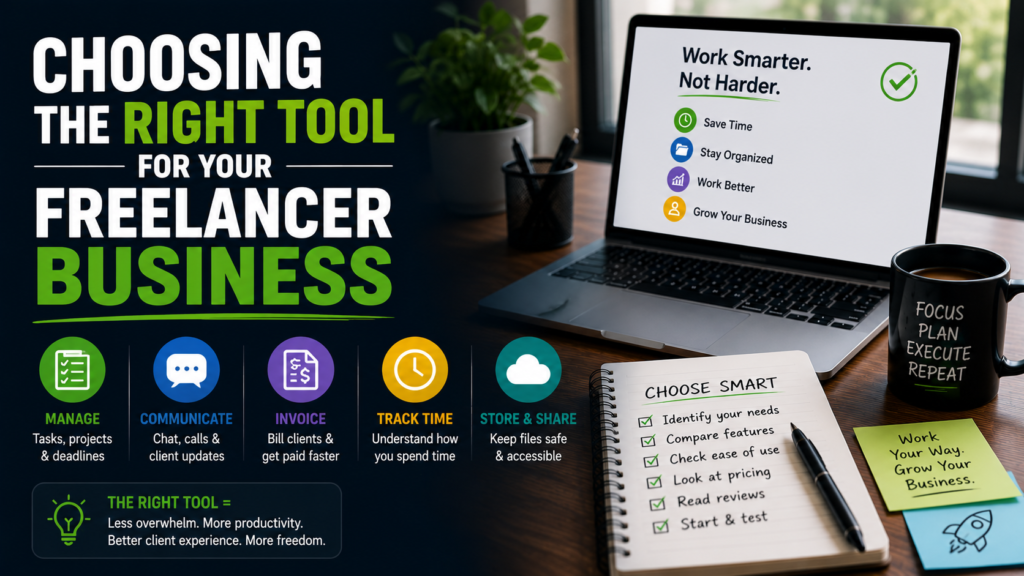
A useful way to narrow the list is to start with how you bill rather than which tool has the best reviews.
- Billing a small number of retainer clients with simple invoices: Wave or Zoho Invoice.
- Wanting strong automation and professional polish: FreshBooks.
- Billing almost entirely by the hour: Harvest.
- Managing contracts, proposals, and invoices together: Bonsai.
- Mixing in-person and remote work: Square Invoices.
- Already processing payments through Stripe and wanting to avoid another subscription: Stripe Invoicing.
It’s also worth testing a tool for a real invoicing cycle, not just a demo account, before fully switching over. A platform that looks fast in a five-minute walkthrough can still feel clunky once actual client details, tax fields, and payment options are involved.
The Hidden Cost Most Comparisons Skip: Processing Fees Every Freelancer Pays
Subscription price is the number most comparison charts lead with, but it’s rarely the full picture. Payment processing fees, usually somewhere around 2.9% plus a small flat fee per card transaction, quietly add up over a year of invoices. On a $5,000 monthly retainer paid by card, that difference compared to a bank transfer or ACH payment can run into hundreds of dollars annually, money that a slightly different setup could have kept in your pocket.
Most of the tools covered here let you offer both card and bank transfer on the same invoice, and some even let you set ACH as the default option instead of card. It’s a small setting that’s easy to overlook during setup, but checking it once can save more over a year than switching between any two platforms on this list ever would.
What Switching Actually Involves for a Freelancer
Moving from one invoicing tool to another sounds more disruptive than it usually is. Most platforms allow a CSV import of existing clients and past invoices, so historical records aren’t lost in the move. The bigger adjustment is usually habit, remembering where to log hours or generate an invoice, rather than any technical barrier.
A practical approach is running the new tool alongside the old one for a single billing cycle before fully committing. Send one or two real invoices through the new platform, see how the client experience feels on their end, and confirm payments land the way they’re supposed to before canceling anything. That one extra cycle of overlap costs very little and prevents a payment mishap during the transition.
Common Questions Freelancers Ask About Switching Invoicing Tools
Is it worth switching tools mid-year?
Usually yes, if the current tool is costing real time every week through manual reminders or clunky data entry. The main friction is re-adding client details and historical invoices, which most platforms let you import from a spreadsheet rather than typing out one by one.
Do free plans actually stay free long term?
Mostly, though client or invoice caps are common once a small business grows. Wave and Zoho Invoice’s free tiers are genuinely usable long term for low invoice volume, but it’s worth checking the current limits before committing, since pricing structures shift from year to year.
Should invoicing and accounting live in the same tool?
Not necessarily. Plenty of people keep a lightweight invoicing app for day-to-day billing and hand everything off to an accountant or a separate bookkeeping tool at tax time. Combining both only pays off once the reporting features are actually being used regularly.
Final Thoughts for Every Freelancer
There isn’t one invoicing tool that’s objectively best for every freelancer, and any list claiming otherwise is oversimplifying. What matters is matching the tool to your actual billing pattern: how often you invoice, how you get paid, and how much automation you genuinely need versus how much you’d just be paying for. Start with a free tier if you’re early on, and upgrade only once a specific pain point, like manual reminders or messy time tracking, is actually costing you real hours each month.
The best test isn’t which tool has the longest feature list. It’s whether, three months in, you’re spending less time on invoicing than you were before. If the answer is yes, it’s doing its job, however basic or fancy it happens to be.
