

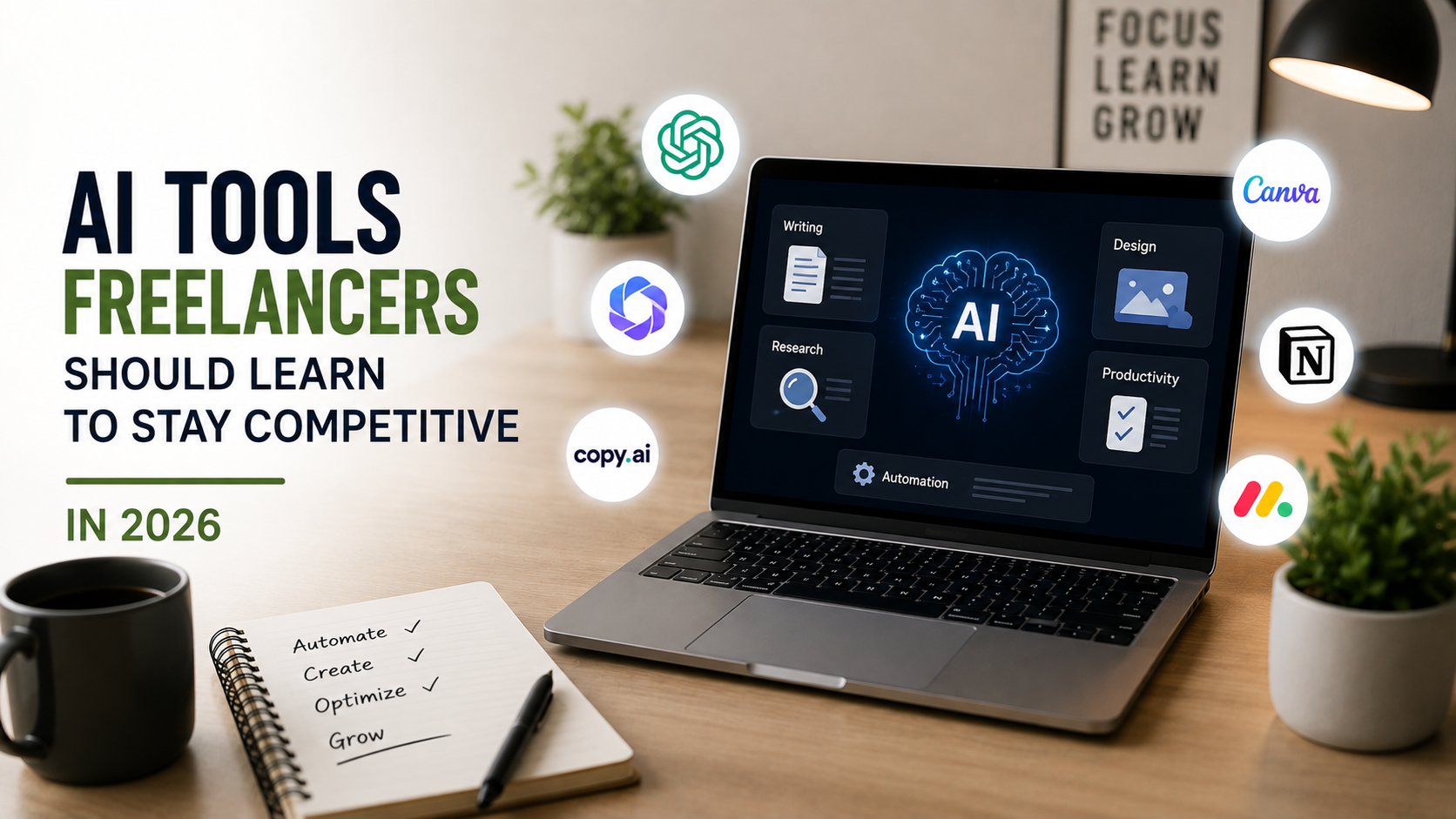
Freelancer competition looks nothing like it did even three years ago. Clients now expect faster turnarounds, tighter budgets, and a level of polish that used to take a whole team to produce. The freelancers pulling ahead in 2026 aren’t necessarily the most talented ones on paper, they’re the ones who’ve figured out how to fold AI into their actual workflow instead of treating it as a novelty. This isn’t about replacing your skill with a chatbot. It’s about knowing which tools genuinely save time, which ones are mostly hype, and where the line still sits between AI output and work you can actually put your name on.
This guide breaks down the categories of AI tools actually worth a freelancer’s time in 2026, based on where demand is growing, what real practitioners are saying about their own workflows, and where the technology still falls short of replacing human judgment.
Why Every Freelancer Needs an AI Workflow Now
Upwork’s own hiring data backs this up. Demand for skills that explicitly reference AI grew by roughly 109% year over year, far outpacing growth in other in-demand categories. That’s not a niche trend confined to developers, it’s showing up across writing, design, marketing, and admin work.
At the same time, the freelancers most exposed to downward pricing pressure are the ones doing generic, repeatable tasks, basic blog posts, template-based logos, simple data entry, the kind of output AI now produces in seconds. A freelancer who only offers commodity work is competing directly against a tool that charges twenty dollars a month.
That doesn’t mean the craft itself is disappearing. Judgment, strategy, and the ability to catch what AI gets wrong are becoming more valuable, not less. One widely shared answer to this exact question online put it plainly: the freelancer worth hiring in 2026 isn’t just someone who knows how to prompt a model, it’s someone who knows when not to trust what it produces. Spotting inaccuracies, fixing generic phrasing, and adjusting tone so a client’s brand voice doesn’t get flattened into robotic sameness is where a freelancer earns their fee now.
So the real skill isn’t “using AI.” It’s building a short, deliberate stack of tools that solve a specific problem in your workflow, and getting good enough at each one that a client can’t tell where your input started and the tool’s ended. The sections below cover the categories worth learning first, roughly in order of how much impact they tend to have on a freelancer’s day-to-day output.
Generative Writing and Content Tools
For any freelancer doing content work, copywriting, blogging, email sequences, or social captions, a large language model is now table stakes rather than an edge. ChatGPT and Claude both handle first drafts, outlines, and research synthesis well, and each has strengths depending on the task: one tends to be better for structured, factual writing, the other for tone and nuance in longer pieces.
The mistake beginners make is publishing AI output nearly as-is. Clients can usually tell, and it damages trust fast. The freelancers who do this well use the model to get past the blank page, then spend real time editing for voice, cutting generic phrasing, and adding specifics a model can’t invent, actual client details, real data, opinions with a point of view. Treat the draft as raw material, not the finished product.
- Use AI for outlines, first drafts, and rewriting rough notes into readable copy.
- Never submit AI text without a full pass for accuracy, tone, and brand fit.
- Keep a swipe file of your own best phrasing so your edits sound like you, not like everyone else using the same model.
Freelance writers who’ve built a real reputation tend to describe the same pattern: the model handles the blank page and the research grunt work, while the freelancer handles the parts that actually require lived experience, a specific client’s product, a real customer complaint, an industry detail that wouldn’t show up in a general training set. That combination is much harder to replicate than either half on its own.
Design and Visual Tools
Designers have arguably felt the AI shift harder than most other freelance categories, and it cuts both ways. Midjourney and similar image generators can produce concept art, mood boards, and rough visual directions in minutes, work that used to take hours of manual sketching before a client even approved a direction.
Tools built directly into design software, like AI-assisted background removal, generative fill, or automatic resizing across formats, have quietly become expected rather than impressive. A freelancer who’s still doing these tasks entirely by hand is losing time a competitor isn’t spending.
The parts AI still struggles with are the parts clients pay the most for: original brand identity, a sense of what a specific business actually needs, and consistency across a full project rather than a single striking image. A freelancer who leans on AI for the repetitive 80% and puts real craft into the remaining 20% ends up faster and still fully attributable for the result.
Motion and 3D work follows a similar pattern. AI can now generate rough animation cycles or basic 3D assets that used to take a junior designer a full day, but a client still needs someone to art-direct the result, catch the moments where the generated motion looks slightly off, and make sure the final asset actually fits the brand it’s meant to represent. Freelancers who position themselves as the person doing that final quality pass, rather than the person doing every step by hand, tend to price higher and work faster at the same time.
Video and Audio Production Tools
Video consistently drives the highest engagement across almost every platform, and that demand hasn’t slowed down. AI-assisted tools now handle a lot of what used to be tedious manual labor: automatic rough cuts based on a script, AI voiceover generation, noise reduction, and auto-captioning that used to eat an entire afternoon.
Runway and comparable tools can generate short clips, extend footage, or remove backgrounds without a green screen, which matters a lot for a freelancer working solo without a studio setup. None of this replaces a genuine eye for pacing or story, the tools speed up the mechanical parts so more time goes toward the creative decisions that actually shape whether a video works.
A freelance video editor who learns to combine an AI rough cut with manual polish is now delivering in hours what used to take days, without cutting the quality a client actually notices. On the audio side, AI voice cleanup and basic mixing tools mean a freelancer recording a podcast or explainer video no longer needs a dedicated sound engineer for routine jobs, which used to be one of the more expensive line items on a small production budget.
Automation and Workflow Tools
This is the category most freelancers underuse, and it’s arguably where the time savings compound the fastest. Tools like Zapier and Make connect the apps you already use, so a new client inquiry automatically creates a project folder, sends a welcome email, and adds a task to your project board without you touching three separate apps by hand.
For a freelancer juggling several clients, this kind of automation is the difference between spending Monday morning on admin and spending it on billable work. If you’ve never built a workflow before, this roundup of practical browser tools is a reasonable place to start layering in small automations before jumping into a full platform like Zapier.
Even simple wins help: an AI-drafted first-pass reply to routine client emails, automatic invoice reminders, or a template that fills itself in from a form response. None of it is glamorous, but it’s exactly the kind of time savings that let a freelancer take on more work without burning out.
A common mistake is over-engineering this early on. A freelancer just starting out doesn’t need a twelve-step automation chain, they need two or three fixes for the tasks eating the most time each week. Start with whatever repeats most often, usually client onboarding or invoicing, and build outward from there once the first automation actually proves itself.
AI Research and Data Analysis Tools
Freelancers in marketing, consulting, and strategy roles are increasingly expected to back up recommendations with real data, not just instinct. AI-assisted research tools can summarize long reports, pull key figures out of spreadsheets, and flag patterns in customer data far faster than doing it manually.
This matters because clients are getting sharper about what they’ll pay for. A freelancer who can say “here’s what the data shows and here’s what I recommend” in the same breath is more valuable than one offering opinion alone. Tools built for data analysis and light machine learning work, once considered specialist territory, are increasingly accessible to freelancers without a formal technical background, provided they’re willing to learn the basics of interpreting what the tool spits out rather than accepting it blindly.
This is also one of the fastest-growing niches within freelancing itself. Businesses that can’t justify a full-time data analyst are increasingly hiring a freelancer for a few hours a month to turn spreadsheets into something an executive can actually act on, and AI tools have made that kind of project realistic for someone without a statistics degree, as long as they double-check what the model produces against the raw numbers.
Prompt Engineering as a Core Skill, Not a Buzzword
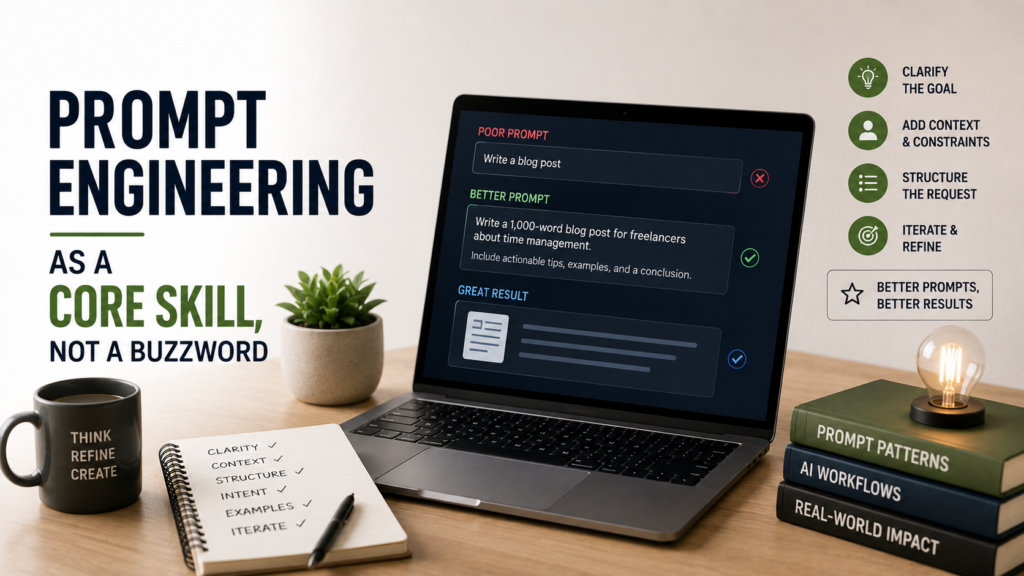
Prompt engineering gets mocked as a fad skill, but the underlying ability, knowing how to describe exactly what you want so a model gives you something usable on the first or second try, is genuinely valuable and genuinely learnable. A freelancer who writes vague prompts gets generic output and spends twice as long fixing it. A freelancer who’s specific about audience, tone, format, and constraints gets something close to final on the first pass.
This skill compounds across every other tool on this list. Better prompts mean better first drafts, better AI-generated visuals, and less time spent regenerating the same request five times hoping for something usable. It’s worth treating as a skill you actively practice, not something you pick up by accident. A freelancer who spends an hour deliberately practicing prompts on real client-style briefs will notice the difference within a week.
If you’re still deciding which of these areas to specialize in first, this guide walks through matching a freelance direction to your existing strengths, which makes it easier to figure out which AI tools are actually relevant to your work instead of chasing all of them at once.
Common Mistakes Freelancers Make When Adopting AI Tools
Not every attempt to add AI into a freelance workflow actually helps. A few patterns show up again and again among freelancers who end up frustrated with the results.
- Submitting AI output without a real edit pass, which clients notice more often than freelancers expect.
- Subscribing to five overlapping tools instead of mastering one or two that actually fit the work.
- Treating AI as a way to lower prices rather than a way to protect margins on the same rate.
- Ignoring client expectations around disclosure, then losing trust when it comes up later.
- Assuming a tool that worked well for one type of project will automatically work for every project.
A freelancer who avoids these traps tends to get far more value out of the same set of tools than one who adopts everything at once and edits nothing.
What Clients Actually Expect From an AI-Using Freelancer
Transparency is becoming part of the job description, not an optional courtesy. Some regions are already introducing disclosure requirements around AI-assisted work, and plenty of clients simply want to know how a deliverable was produced before they approve it.
A freelancer doesn’t need to disclose every tool used for research or brainstorming, but being upfront when AI did meaningful heavy lifting on a deliverable, an AI-generated first draft that was then substantially edited, for instance, builds trust rather than eroding it. Clients who get burned by unlabeled AI output once tend to ask about it on every freelancer project after that.
It also changes how freelancers should price their time. Someone forum discussion on this exact shift made a fair point: as AI tools help freelancers deliver outcomes faster, billing purely by the hour starts working against you, since finishing a task quickly with AI assistance shouldn’t mean earning less for the same value delivered. Increasingly, freelancers are shifting toward value-based pricing so that speed gained from AI tools translates into better margins instead of just faster turnaround for the same rate.
Building Your Own AI Toolkit Without Chasing Every New Release
New AI tools appear constantly, and trying to adopt all of them is a fast way to waste time instead of saving it. Before adding anything new to your workflow, ask whether it solves a real, recurring problem, whether it integrates with tools you already use, and whether it will consistently save hours rather than minutes.
A practical way to build a personal AI stack:
- Pick one tool per major task category, writing, design, research, automation, rather than several competing options.
- Give each tool a real two-week trial on actual client work before deciding if it earns a permanent spot.
- Drop anything that creates more editing work than it saves.
- Revisit the stack every few months, since tools that were clunky a year ago are often much better now.
A freelancer who runs a lean, well-tested toolkit will consistently outperform one who’s subscribed to a dozen apps and mastered none of them. Fewer tools, used well, beats a crowded dashboard every time.
Staying Competitive Without Losing What Makes You Hireable
The freelancers thriving in 2026 aren’t the ones who resisted AI the longest or the ones who let it do all the work. They’re the freelancer who treats these tools the way a contractor treats power tools: useful for speed and precision, never a substitute for knowing what you’re building and why.
Clients are still hiring people, not software. The judgment to know what a project actually needs, the accountability to stand behind the final result, and the relationship built over multiple projects are things no tool replicates. Learn the tools that genuinely fit your work, skip the ones that don’t, and keep the parts of the job that were never really about typing speed or rendering time in the first place.
